Cover
Instruction Manual
OMNICHORD
Suzuki OM-27
Omnichord Heaven digital archive
A searchable and accessible digital transcription of Suzuki's original owner documentation.
Scanned pages visually checked. Obvious typographical and punctuation slips lightly normalised; instructions and terminology unchanged.
Instruction Manual
Suzuki OM-27
Dear Customer
We at the Suzuki take great pride in presenting you with OMNICHORD - a most unique new musical accompaniment instrument. The many different functions of OMNICHORD have been made possible by the extreme miniaturization of electronic components usually found in much larger instruments. Yet despite its small size and light weight, the sound quality is surprisingly full bodied and vibrant. OMNICHORD is completely portable and has a simple, straightforward design so that even young children can easily play it the very first time. With a minimum of care, OMNICHORD will perform flawlessly to give you years of musical instrument enjoyment. Whether used in the school as an education & performance aid or at home for your personal entertainment, OMNICHORD promises to bring a little future to your world today.
Set Up & Precautions
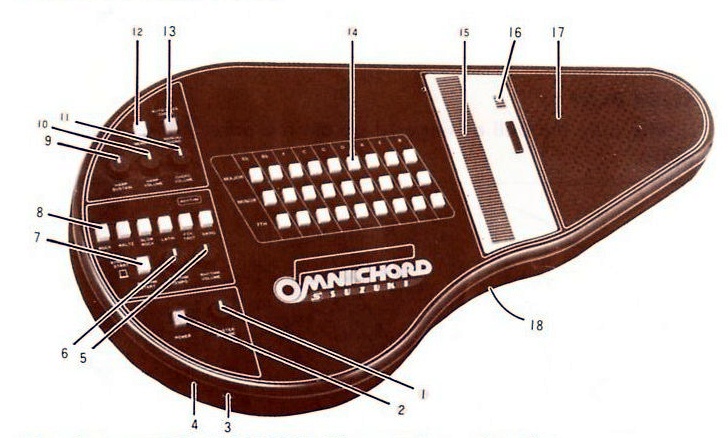
Remove OMNICHORD from its packing carton and place on a flat surface in front of you. On the reverse side, locate and open the battery compartment door. Place 8 x SUM-2 or SIZE-C or R-14 or equivalent size batteries inside and re-close the door.
For maximum response from the SonicStrings touchplate, use either the enclosed rubber pick or your fingers. To activate, make sure that your fingers are clean and dry for best electronic contact. Do not use your fingernail to strum.
Do not leave OMNICHORD near a heater or expose to direct sunlight, excessive dust, moisture, rain or electrical shock. Use only in moderate temperature as extreme cold will reduce the response of the SonicStrings touchplate.
To clean, wipe with a damp cloth. Never use detergents or abrasives as this will damage the cabinet. Turn OMNICHORD off when not in use for longest battery life.
There are unlimited styles of playing the SonicStrings touch plate according to your own ideas. The following are examples.
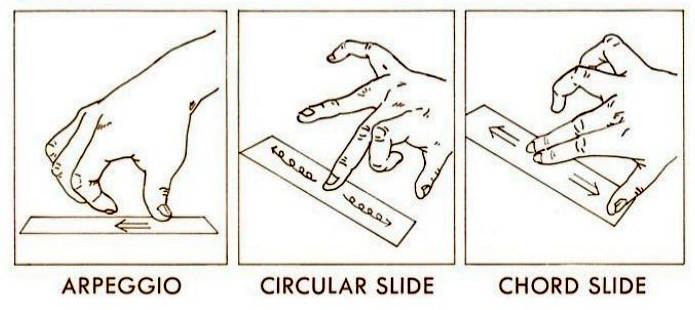
Lightly slide the ball of your finger or fingers across the SonicStrings touch plate.
Arpeggio · Circular slide · Chord slide
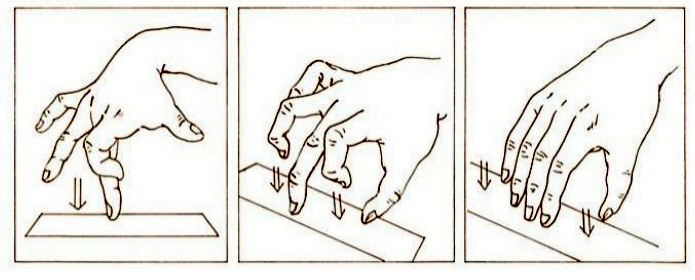
Lightly touch the SonicStrings touch plate using the ball of your finger or fingers.
Single-finger touch · Two-finger touch · Hand touch
Strum Applications
To play your OMNICHORD like a guitar using the SonicStrings touchplate, use the controls shown above. All buttons are up unless otherwise described. Depress the buttons labeled POWER & MEMORY. Turn the MASTER VOLUME & HARP VOLUME as desired. Turn the CHORD VOLUME & VOLUME KNOBS all the way to the left or off. The HARP SUSTAIN control will produce various degrees of lasting resonance or decay as you strum the touchplate. Set as desired. Now, simply depress any of the MAJOR, MINOR or 7TH chord buttons with your left hand. The chord buttons have a built in memory so it is not necessary to constantly hold them down. Just touch them once. Then, strum the touchplate with the rubber pick, your thumb or fingers from bottom to top. The notes of your selected chord will play starting with the lowest notes on the bottom, to the highest notes on top as you make contact with the touchplate. It can be strummed up, down or touch it anywhere to produce different chord note sequences. Use this application in any song that does not require a strict rhythmic beat or where a free moving accompaniment style is desired.
Chord Applications
To play chords on your OMNICHORD like a piano or organ, use the controls shown above. All buttons are up unless otherwise described. Depress the buttons labeled POWER & MEMORY. Turn the VOLUME & TEMPO knob all the way to the left, or off. Next, touch any MAJOR, MINOR or 7TH chord buttons with your left hand. Now, depress the AUTO-BASS CHORD button and your selected chord will immediately play. Set the MASTER VOLUME and CHORD VOLUME as desired. (Note: the MEMORY button may be up or down depending on your application. If it is down, the chord will play constantly. If it is up, the chord will only play as long as you hold down the chord button.) OMNICHORD is equipped with an INSTANT OFF control. It is located directly to the right of the SonicStrings touchplate. If you wish the chord to stop playing, touch the INSTANT OFF area. This feature becomes necessary during a pause or at the end of a song. It will immediately shut off the sound without having to turn off the power. Use the organ application described here where vibrant chords are desired and where strict rhythms are not needed such as ballads, chorales and pastoral music.
Rhythm Applications
Your OMNICHORD is equipped with a full electronic rhythm section that plays many different beats and tempos. It is an ideal addition to any musical instrument combination you may already have. Use the controls shown above. All buttons are up unless otherwise described. Depress the buttons labeled POWER & SYNCHRO START. Turn the MASTER VOLUME & VOLUME knobs as desired. The TEMPO knob will control how fast or slow your selected rhythm will go. Depress any of the six rhythm buttons labeled ROCK, WALTZ, SLOW ROCK, LATIN, FOX TROT or SWING. You can also press any 2 rhythms simultaneously to make many other interesting rhythmic combinations. Experiment with this percussion feature until you find a suitable accompaniment for your song. The percussion feature should be used for rhythmic studies, developing rhythm band students or as an accompaniment to any musical instrument or playing ensemble.
Combinations
Here we will move from the single functions of OMNICHORD to some combination possibilities incorporating multiple functions. This combination will allow you to strum your OMNICHORD like a guitar but also has a corresponding chord playing in the background. Use the controls as shown above. Depress the buttons labeled POWER & MEMORY. Turn the VOLUME knob all the way to the left, or off. Next, touch any MAJOR, MINOR or 7TH chord buttons with your left hand. Now, depress the AUTO-BASS CHORD button and your selected chord will immediately play. Set the MASTER VOLUME and CHORD VOLUME as desired. (Note: the MEMORY button may be up or down depending on your application. If it is down, the chord will play constantly. If it is up, the chord will only play as long as you hold down the chord button.) Adjust the MASTER VOLUME, CHORD VOLUME, HARP VOLUME and HARP SUSTAIN as desired. Play any MAJOR, MINOR or 7TH chord buttons with your left hand and strum the touchplate with your right. This application is quite exciting because a beautiful chord plays in the background while you strum your favorite song at your own pace. Touch the INSTANT OFF area to immediately stop all sound. Chord and strum functions each have their own separate volume controls to achieve the perfect sound balance.
Combinations
This combination of OMNICHORD features is the same as the previous page except that rhythm will be added and expanded applications become available. Use the controls as shown above. Depress POWER, AUTO-BASS CHORD & SYNCHRO START buttons. Memory button may be up or down depending on your application (try it down first). Choose your desired rhythm by depressing ROCK, WALTZ, SLOW ROCK, LATIN, FOX TROT, SWING or any combination. Adjust MASTER VOLUME, TEMPO, VOLUME, CHORD VOLUME, HARP VOLUME and HARP SUSTAIN as desired. Now, depress any of the MAJOR, MINOR or 7TH chord buttons with your left hand and strum the touchplate with your right. Now try this: As you are playing in this mode, touch the INSTANT OFF area. The chord & harp volume will stop, but the rhythm continues. Now just touch the chord button again & the chord & harp sounds resume. Do this technique back and forth every 4 or 8 beats for interesting combinations. If you wish everything to "INSTANT OFF" at the same time, leave the SYNCHRO-START button in the up position.
Combinations
All the features of the OMNICHORD are used together with this combination. Set the controls exactly as described on the previous page with one exception: The AUTO-BASS CHORD button should be left in the up position. This will add a corresponding walking bass accompaniment to the strum, chord and percussion features. Touch the INSTANT OFF area to stop all sound except the rhythm section. Leave the SYNCHRO START button in the up position and all the sound will immediately stop if the INSTANT OFF area is touched. Also, please note that by pressing the SYNCHRO START button while playing, it automatically resets the rhythm & bass line so that the first beat in a measure is instantly heard. This feature becomes useful if you are playing along with other instruments and the beat becomes confused. The OMNICHORD can actually speed up or slow down to synchronize all the players, even while the rhythm continues.
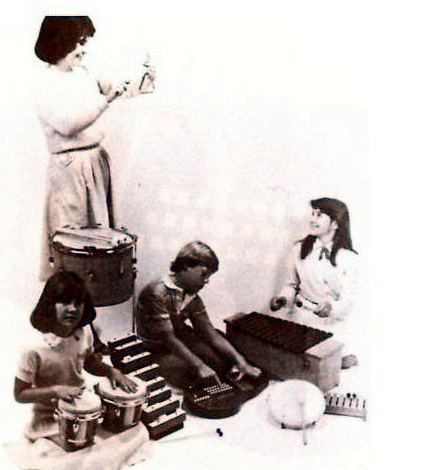
Most of the major single & combination functions of your OMNICHORD have been explained. However, certain other combinations will become apparent as you become more familiar with your instrument. For example, the rhythm section can be used with the guitar or organ functions to produce Guitar-Rhythm and Organ-Rhythm applications. Also, the memory button has interesting applications such as the following: Set the controls as described on the guitar page, except leave the MEMORY button in the up position. Now, press a chord button with your left hand and strum with your right. The chord will play only as long as you depress the chord button. Strum a chord but let go of the chord button just before you complete the strum. This will produce exciting effects. And, for expanded sound, your OMNICHORD can be plugged into your stereo or P.A. system or a separate external speaker is an available option. See the accessory section later in this brochure.
When the Saints Go Marching In
Omnichord setting: To play this song many instrument settings can be used depending upon your own preference. We recommend this one: Set Omnichord as described on Guitar-Organ-Rhythm-Bass page. Set Rhythm on FOX TROT & use moderate tempo.
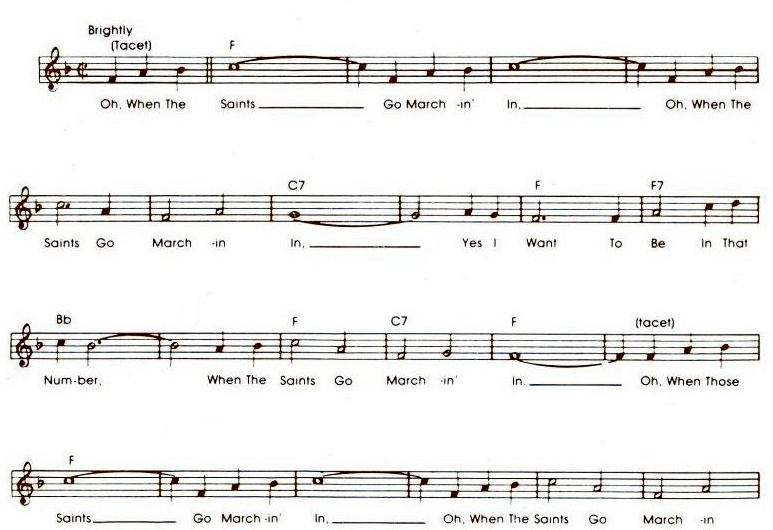
Lyrics shown in the score: Oh, when the saints go marchin' in, oh, when the saints go marchin' in, yes I want to be in that number, when the saints go marchin' in. Oh, when those saints go marchin' in, oh, when the saints go marchin' in.
The Omnichord Songbook contains 14 popular songs by today's top performers. See accessory pages for ordering information.
Optional
OCA
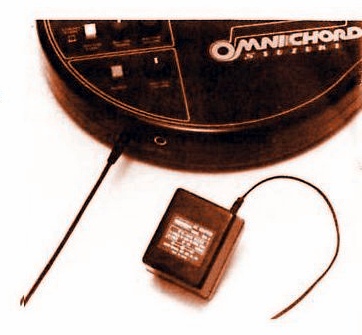
Your OMNICHORD was designed to be completely portable. However, the A/C adapter plugs easily into the side of the cabinet in plug number 4 & then into any wall plug. Use during extended periods of play and to prolong battery life.
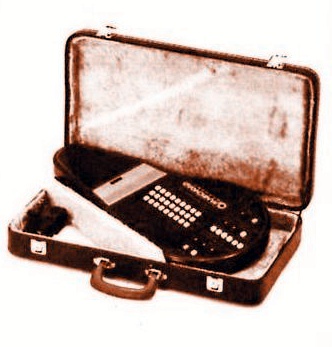
OCC-2
This beautiful plush lined heavy duty carrying case with handle is the perfect storage and traveling companion for your OMNICHORD. It has a storage compartment and locking hardware with key.
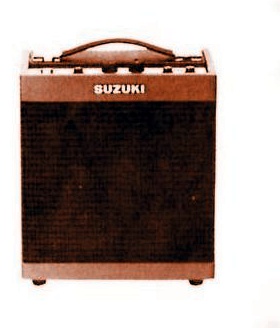
OCS-7
Enhance the vibrant sounds of OMNICHORD by plugging this accessory into external jack number 5 and then into any wall plug. Comes complete with individual volume & tone controls. Large powerful speaker produces concert hall sound. A must at performance time!
Optional
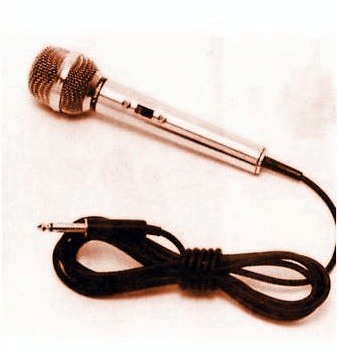
OCM-3
This lightweight accessory plugs directly into the AMP/SPKR and allows you to sing, talk or play through the AMP/SPKR either with or without the OMNICHORD. It makes a great P.A. system and gives you expanded performance possibilities. For use only with the AMP/SPKR - it will not plug directly into the OMNICHORD.
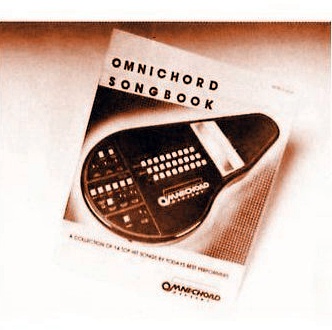
OCB-32
The OMNICHORD SONGBOOK contains 14 popular melodies by today's leading performers. All songs have chord & rhythm markings, full lyrics and complete solo music lines. It's fun and exciting to play for any age group.
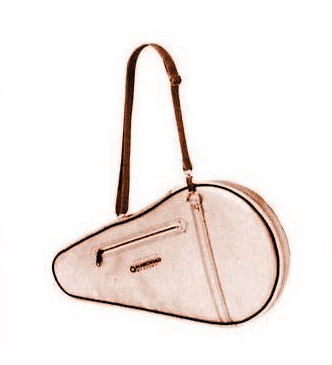
OCC-1
Silver coloured strong bag with strap is fancy and space-age looking.
SUZUKI MUSICAL INST. MFG. CO., LTD.
443 Ryoke-cho, Hamamatsu, Japan
Printed in Japan 82042A