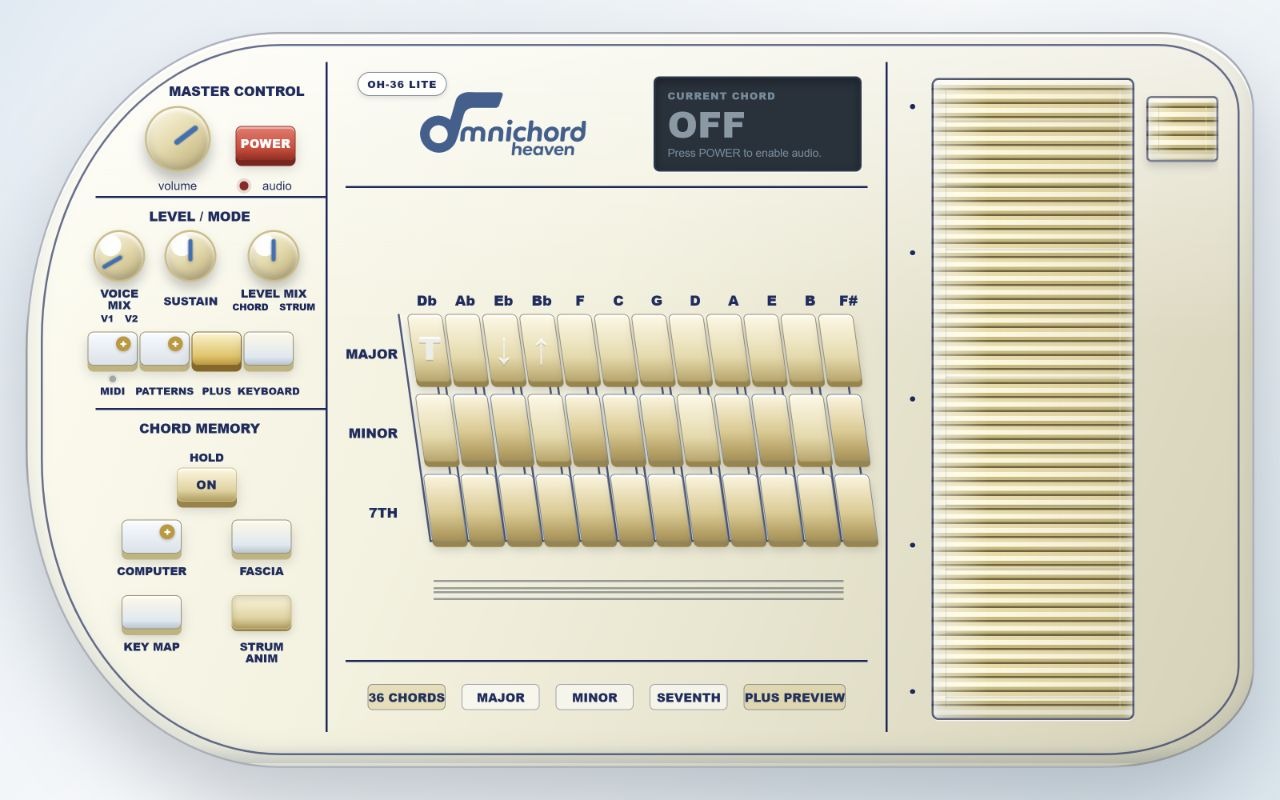
Welcome
OH-36 Lite and Plus
Lite is a complete chord-and-strum instrument with no account required. Plus adds the expanded performance tools while retaining the same immediate layout.
| Feature | Lite | Plus |
|---|---|---|
| Playable chords | 36 single-button chords | 84 chord combinations |
| Strumplate | Two voices, 13 bars | Two voices, 13 bars |
| Fascia | Ivory, Pink, Original | Seven colours + image |
| Patterns | Preview panel | 10 built-in + 2 user |
| Chord computer | Preview panel | 128 steps |
| MIDI | — | Three channels |
1
Install, launch and quick start
OH-36 opens in its own Chrome tab. Pressing POWER is required before Chrome will start the audio engine.
Install and open
- Install OH-36 from the Chrome Web Store.
- Pin OH-36 from Chrome's Extensions menu if you want its icon kept on the toolbar.
- Select the OH-36 icon, then press POWER when the instrument opens.
Play your first chord
- Choose a chord—for example C in the Major row.
- Drag up or down through the Strumplate.
- Adjust Voice Mix, Sustain and Level Mix to taste.
- Press Instant Off, or Delete, for immediate silence.
2
Main panel tour
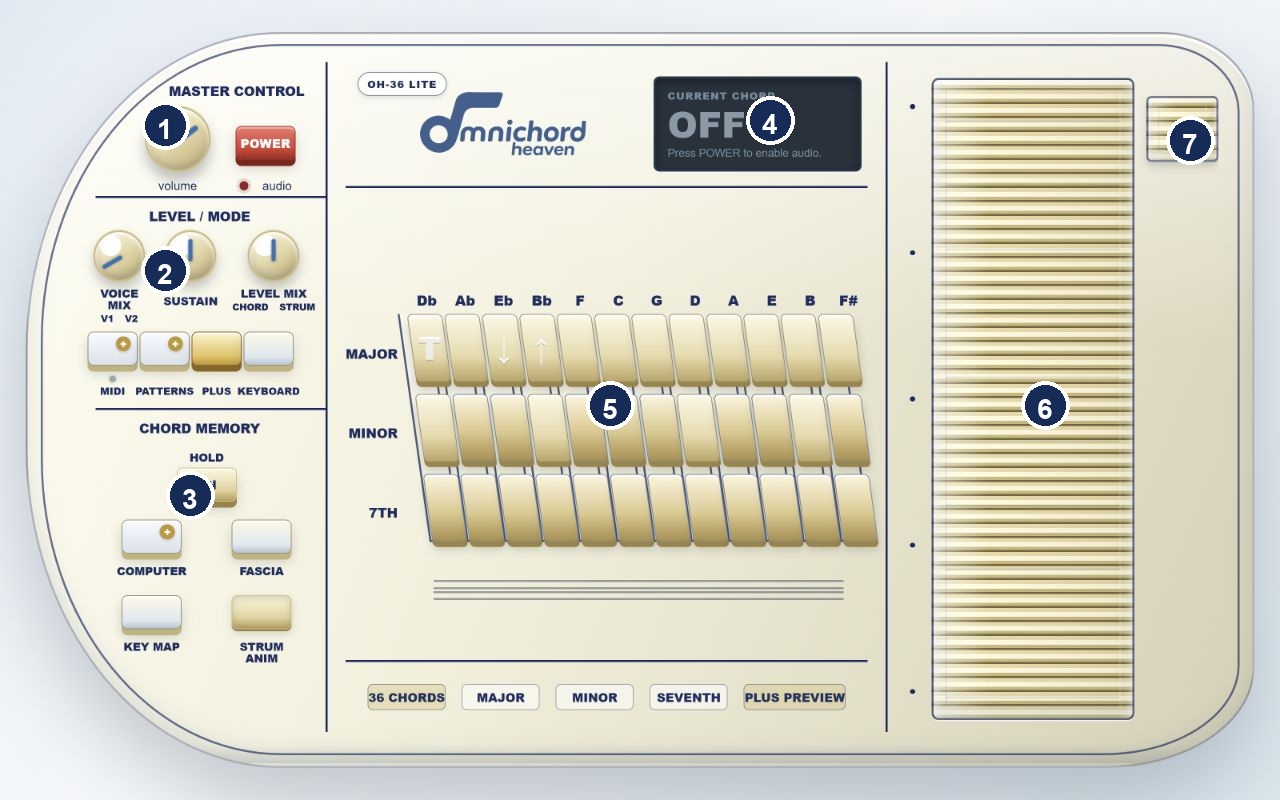
| Area | Purpose |
|---|---|
| 1 Master Control | Volume, Power and audio indicator |
| 2 Level / Mode | Voice blend, sustain, balance and mode buttons |
| 3 Chord Memory | Hold, fascia, Key Map, animation and computer |
| 4 Display | Power state, chord, note, transpose and status |
| 5 Chord bank | Twelve roots and three visible chord rows |
| 6 Strumplate | Thirteen playable bars |
| 7 Instant Off | Stops audio and MIDI immediately |
3
Chords: 36 in Lite, 84 in Plus
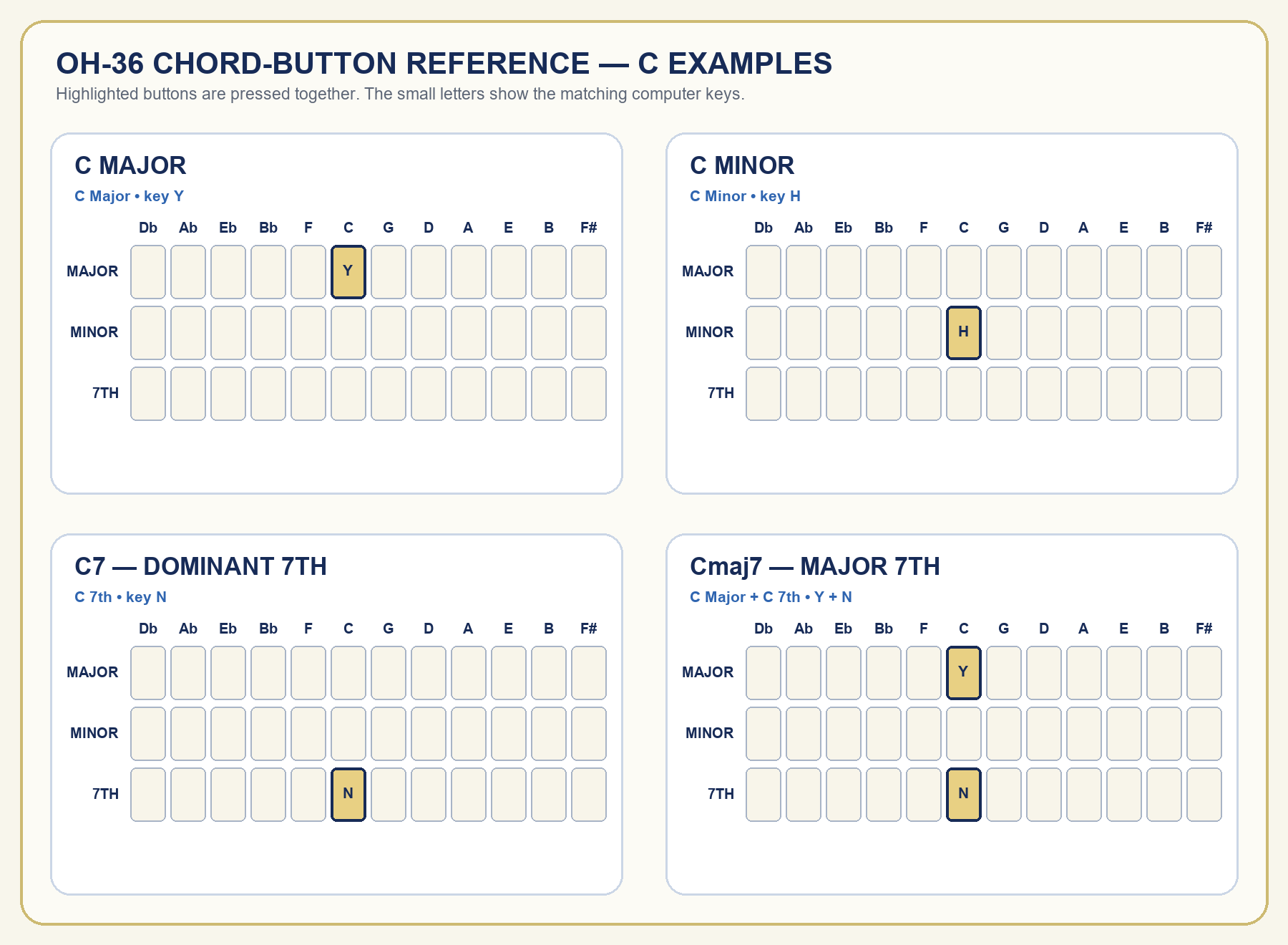
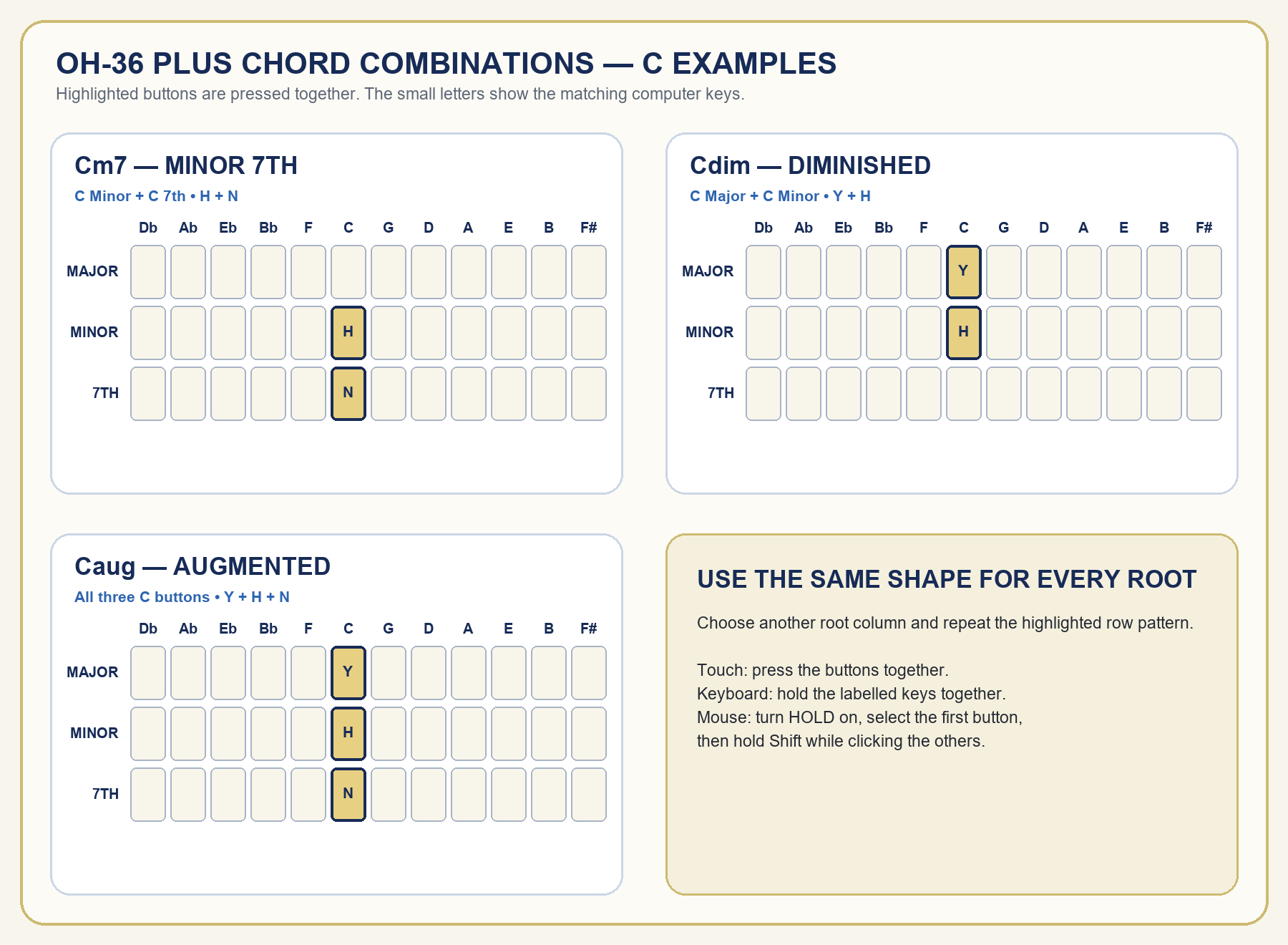
Lite provides Major, Minor and Seventh across twelve roots. Plus recognises row combinations in the same root column. The diagrams use C as an example; repeat the same highlighted row pattern in any other root column.
| Buttons | Result |
|---|---|
| Major | Major |
| Minor | Minor |
| Seventh | Dominant seventh |
| Major + Seventh | Major seventh |
| Minor + Seventh | Minor seventh |
| Major + Minor | Diminished |
| All three rows | Augmented |
How to press combinations
- Computer keyboard: hold the matching row keys for one root at the same time.
- Touchscreen: press the required chord buttons together with two or three fingers.
- Mouse or trackpad: turn HOLD on, select the first button, then hold Shift while clicking the other button or buttons in that root column.
4
Strumplate, Hold and sound controls
| Control | What it does |
|---|---|
| Volume | Master output level |
| Voice Mix | Blends the two strum voices |
| Sustain | Changes Strumplate note decay |
| Level Mix | Balances chord/bass against strum |
| Hold | Keeps the chord sounding after release |
| Strum Anim | Shows or hides the pointer glow |
| Instant Off | Stops all sound and active MIDI notes |
The number row plays the thirteen Strumplate bars: ` 1 2 3 4 5 6 7 8 9 0 - =.
5
Computer keyboard, Key Map and Keyboard mode
| Function | Keys |
|---|---|
| Major | Q W E R T Y U I O P [ ] |
| Minor | A S D F G H J K L ; ' backslash |
| Seventh | Z X C V B N M , . / Right Shift Right Ctrl |
| Instant Off | Delete |
Select KEY MAP to show or hide the labels. KEYBOARD changes selected buttons into a chromatic note keyboard and disables the Strumplate.
In Keyboard mode, select T to arm transpose, then use ↓ or ↑. The range is −12 to +12 semitones and starts at T+0 when the mode is entered.
6
Fascia and visual preferences
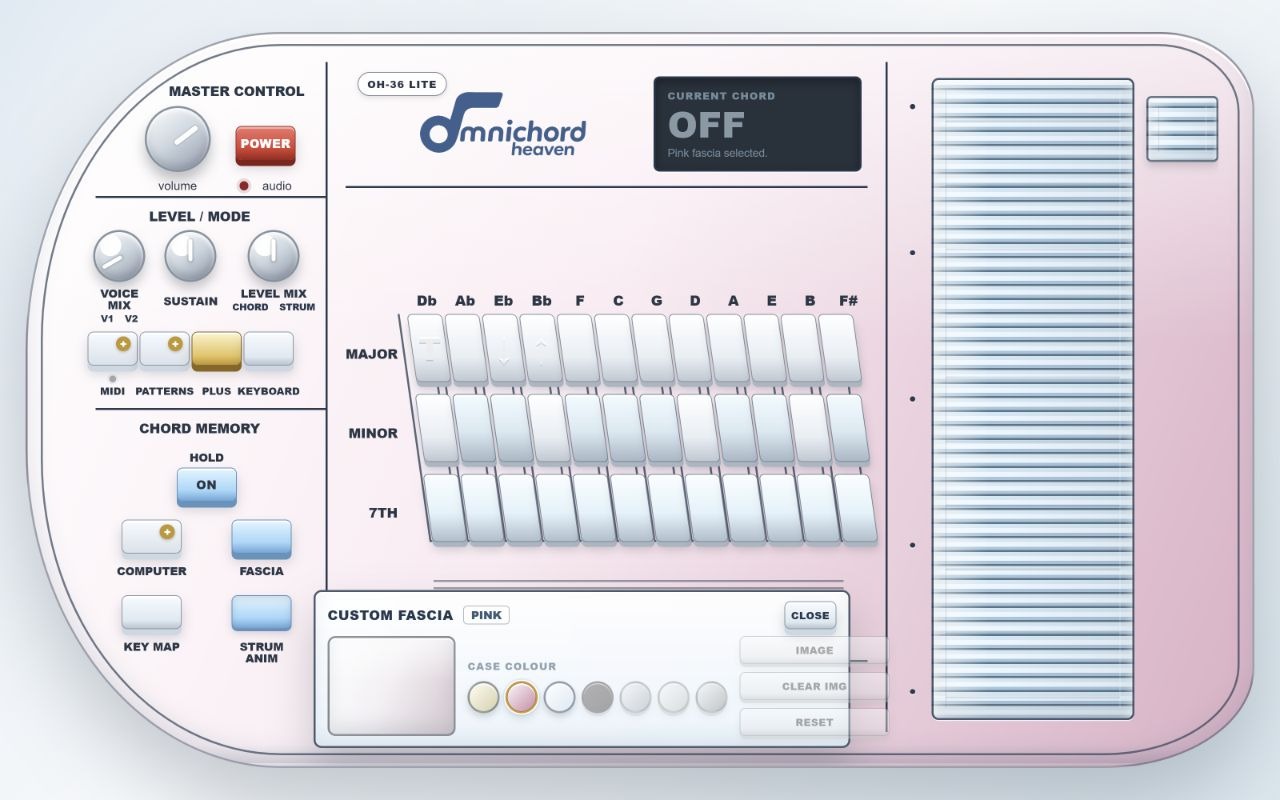
Lite includes Ivory, Pink and Original. Plus adds Red, Blue, Mint and Graphite, together with a personal image layer.
7
Activating OH-36 Plus
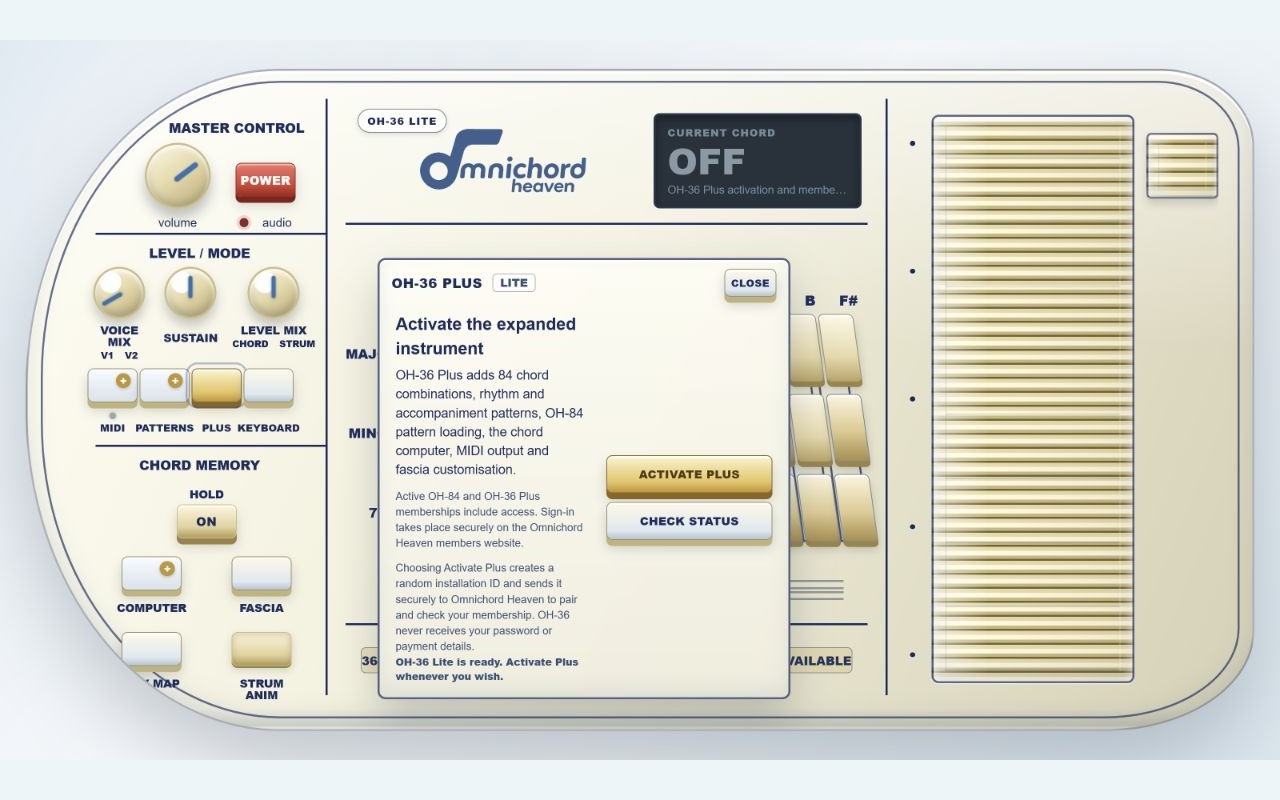
- Select Plus, then Activate Plus.
- Sign in or choose a membership on the Omnichord Heaven members website.
- Approve this Chrome installation.
- Return to OH-36 and select Check Status if Plus does not unlock automatically.
Active OH-36 Plus and OH-84 memberships include access. OH-36 receives neither your password nor your payment details.
8
Rhythm and accompaniment patterns
Plus includes Rock 1, Rock 2, Disco, Latin, Country, March, Tango, Blues, Swing and Waltz, plus User 1 and User 2 import slots.
| Control | Purpose |
|---|---|
| Tempo | Approximately 55–140 BPM |
| Volume | Rhythm section level |
| Auto Accomp | Chord accompaniment on or drums only |
| Auto Bass | Automatic bass on or off |
| Start / Stop | Runs or stops the pattern |
| Load OH-84 | Imports a compatible OH-84 rhythm JSON file |
9
Chord computer
The Plus chord computer stores up to 128 chord selections.
| Control | Purpose |
|---|---|
| REC / STOP | Start or finish recording |
| ENTER | Play the next stored chord |
| PREV | Play the previous step |
| REPEAT | Repeat the active step |
| DEL | Delete the last stored chord |
| CLR | Clear the complete memory |
After recording, Keyboard mode can play melody notes while the chord computer supplies accompaniment.
10
MIDI output
Plus sends to the first available Web MIDI output. Approve Chrome's MIDI prompt if one appears.
| Channel | Data |
|---|---|
| 1 | Strumplate and Keyboard-mode melody |
| 2 | Chords |
| 3 | Bass |
11
Storage, troubleshooting and specifications
Musical preferences are stored locally. Clearing extension data or removing OH-36 removes those preferences.
| Problem | Check |
|---|---|
| No sound | Power, Volume, tab mute and selected audio output |
| Chord stops | Turn Hold on |
| Strumplate inactive | Leave Keyboard mode |
| Plus locked | Check Status or create a fresh pairing |
| Pattern rejected | Use a JSON file exported by OH-84 |
| MIDI silent | Destination, connection and receiving channels |
Lite and Plus specifications
| Feature | Lite | Plus |
|---|---|---|
| Playable chords | 36 single-button chords | 84 chord combinations |
| Strumplate | Two voices, 13 bars | Two voices, 13 bars |
| Fascia | Ivory, Pink, Original | Seven colours + image |
| Patterns | Preview panel | 10 built-in + 2 user |
| Chord computer | Preview panel | 128 steps |
| MIDI | — | Three channels |