Welcome
A complete browser workstation
OH-84 keeps chord-and-strum playing immediate while adding arrangement, sound design, rhythm, MIDI and song-file tools. AIRSTRUM is clearly marked experimental because its camera and gesture behaviour may continue to evolve.
1
Quick start
Press POWER, choose a chord and stroke the Strumplate. Chrome is recommended for the complete OH-84 experience.
Play your first chord
- Open OH-84 from your Omnichord Heaven member page and press POWER.
- Choose a chord—for example C in the Major row.
- Stroke or drag across the Strumplate.
- Adjust Volume, Voice Mix, Sustain and Level Mix.
- Press Instant Off for immediate silence.
2
Main panel tour
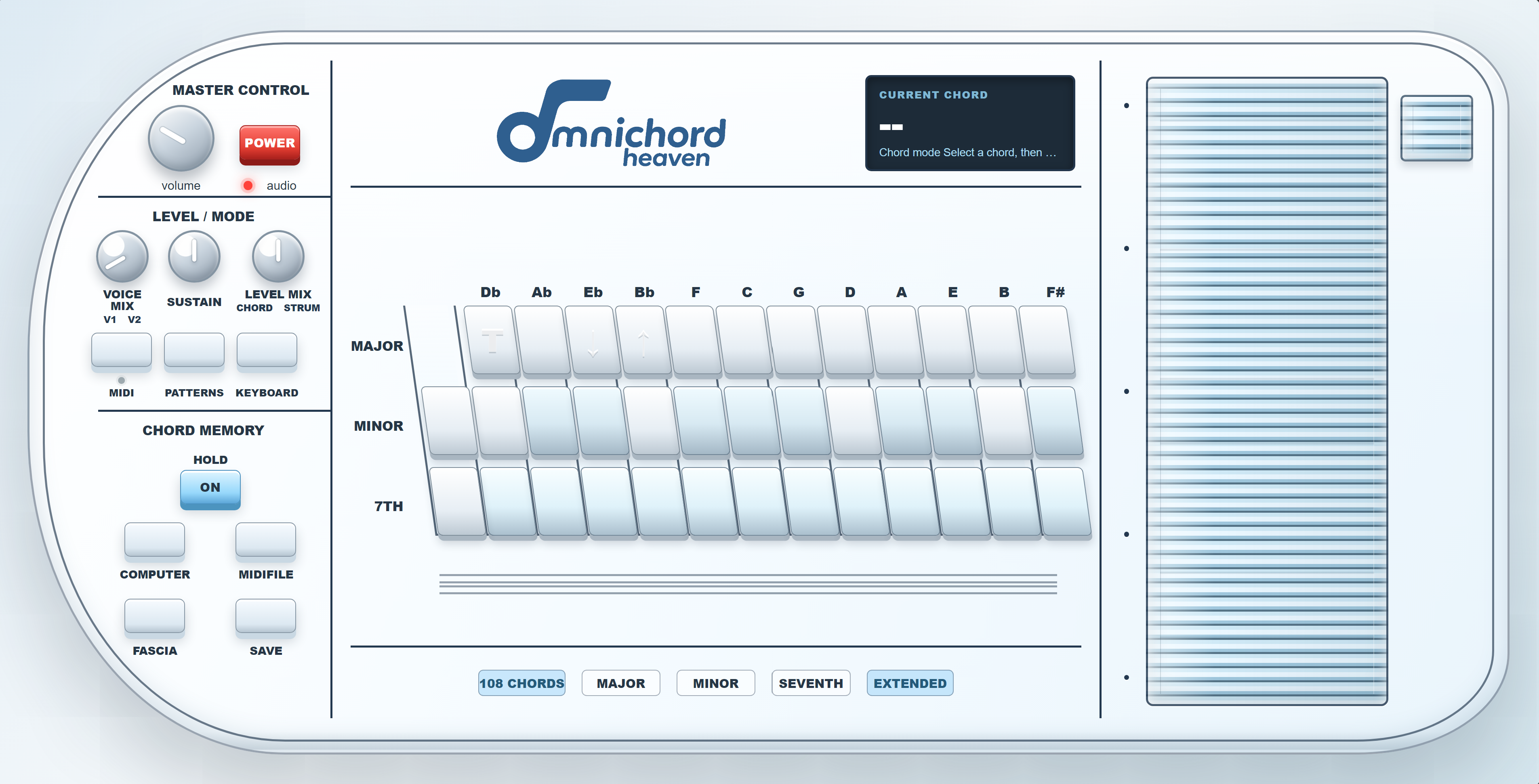
| Area | Purpose |
|---|---|
| Master Control | Volume, Power and audio indicator |
| Level / Mode | Voice blend, sustain, balance, MIDI, patterns and Keyboard mode |
| Chord Memory | Hold, Computer, AIRSTRUM, MIDI-file player, fascia and save |
| Chord bank | Twelve roots, three rows, two extra left-edge F# buttons, transpose and multi-button chord combinations |
| Current Chord | Chord, mode, transpose and status messages |
| Strumplate | Thirteen playing bars and Instant Off |
3
Audio and level controls
| Control | Purpose |
|---|---|
| Power | Starts or resumes the browser audio engine |
| Volume | Overall output level |
| Voice Mix | Blends Strum V1 and V2 |
| Sustain | Sets normal Strumplate decay |
| Level Mix | Balances chord/bass and Strumplate |
| Hold | Keeps the selected chord and bass sounding |
4
The 108-chord system
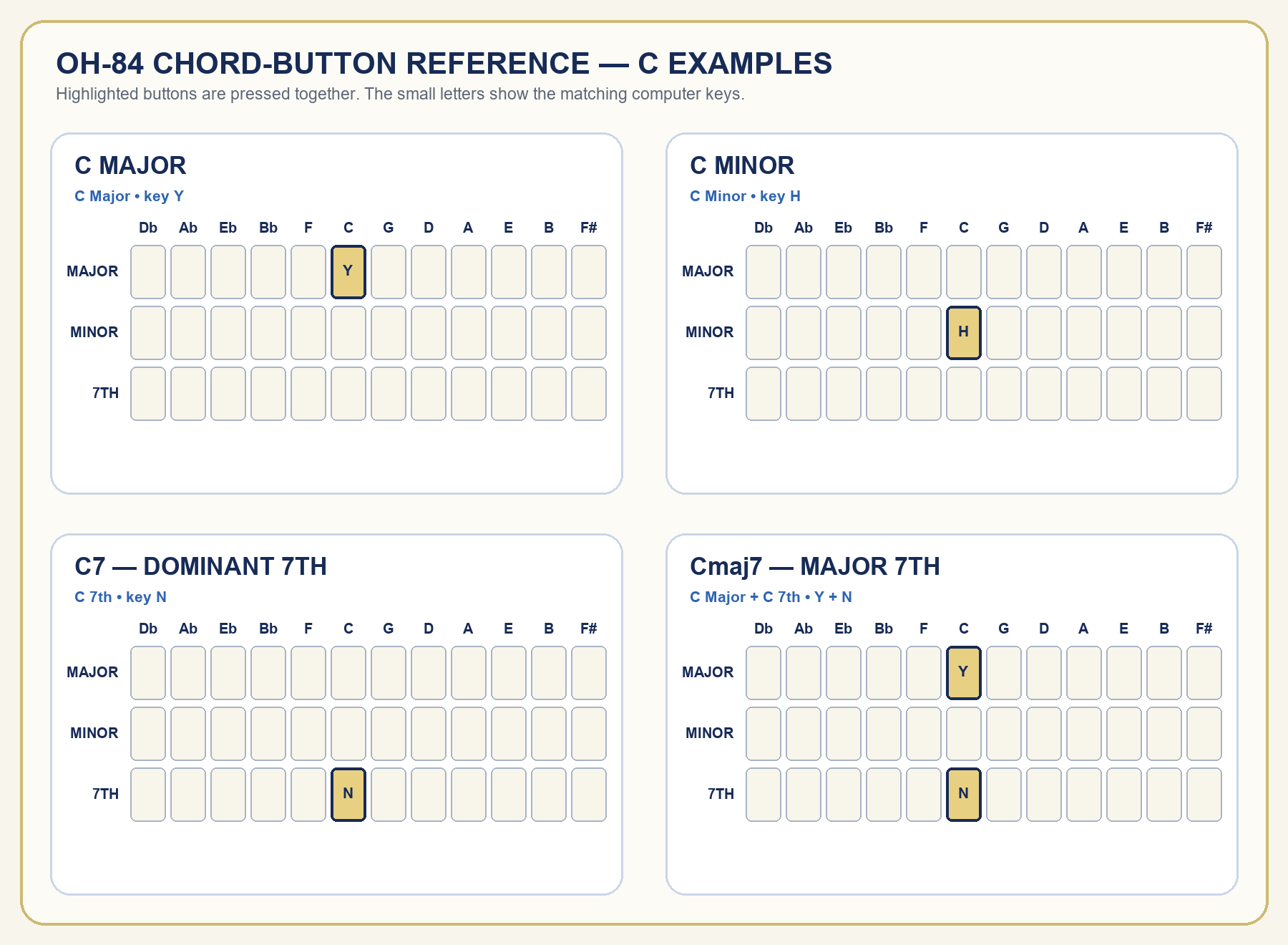
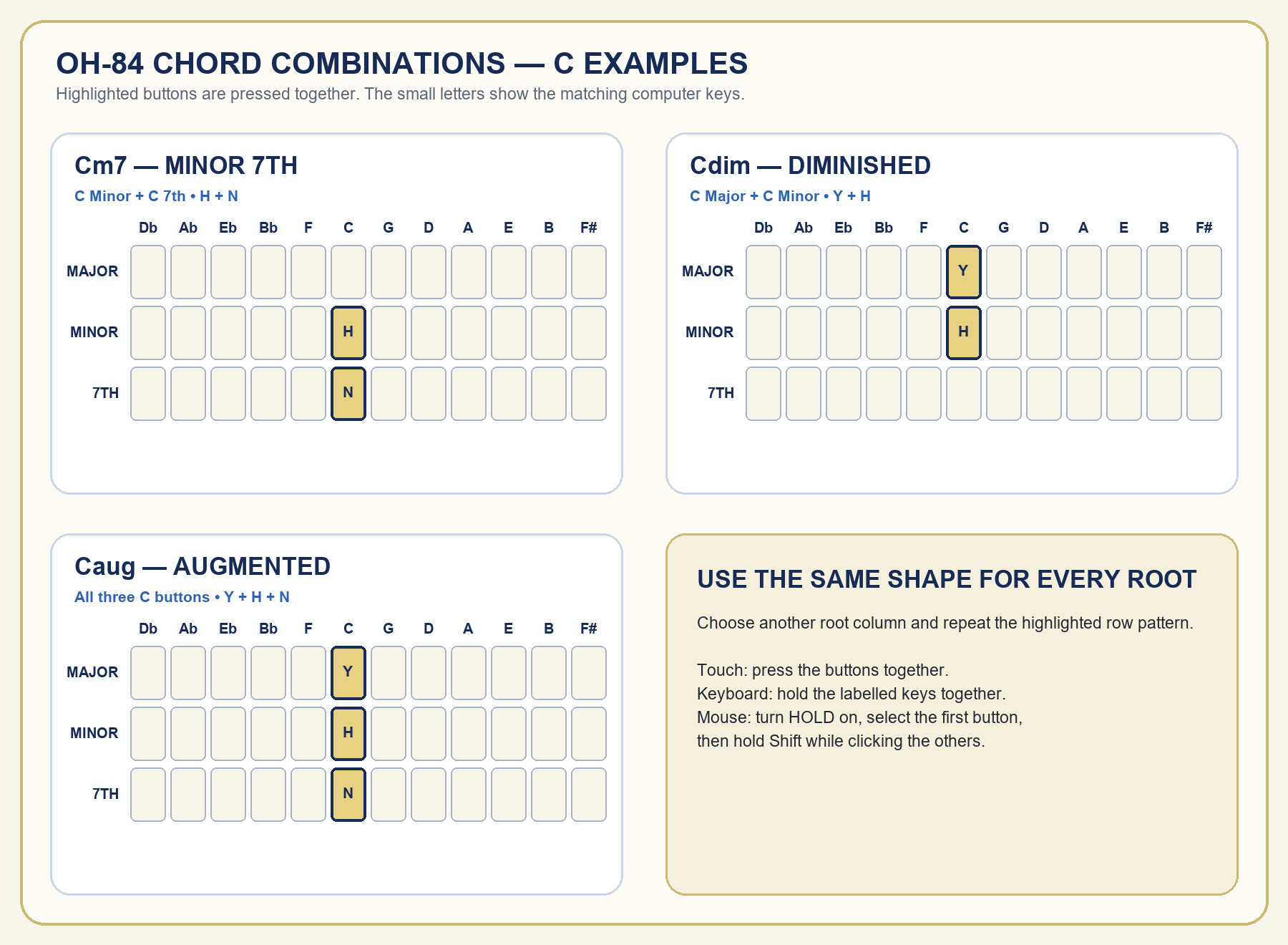
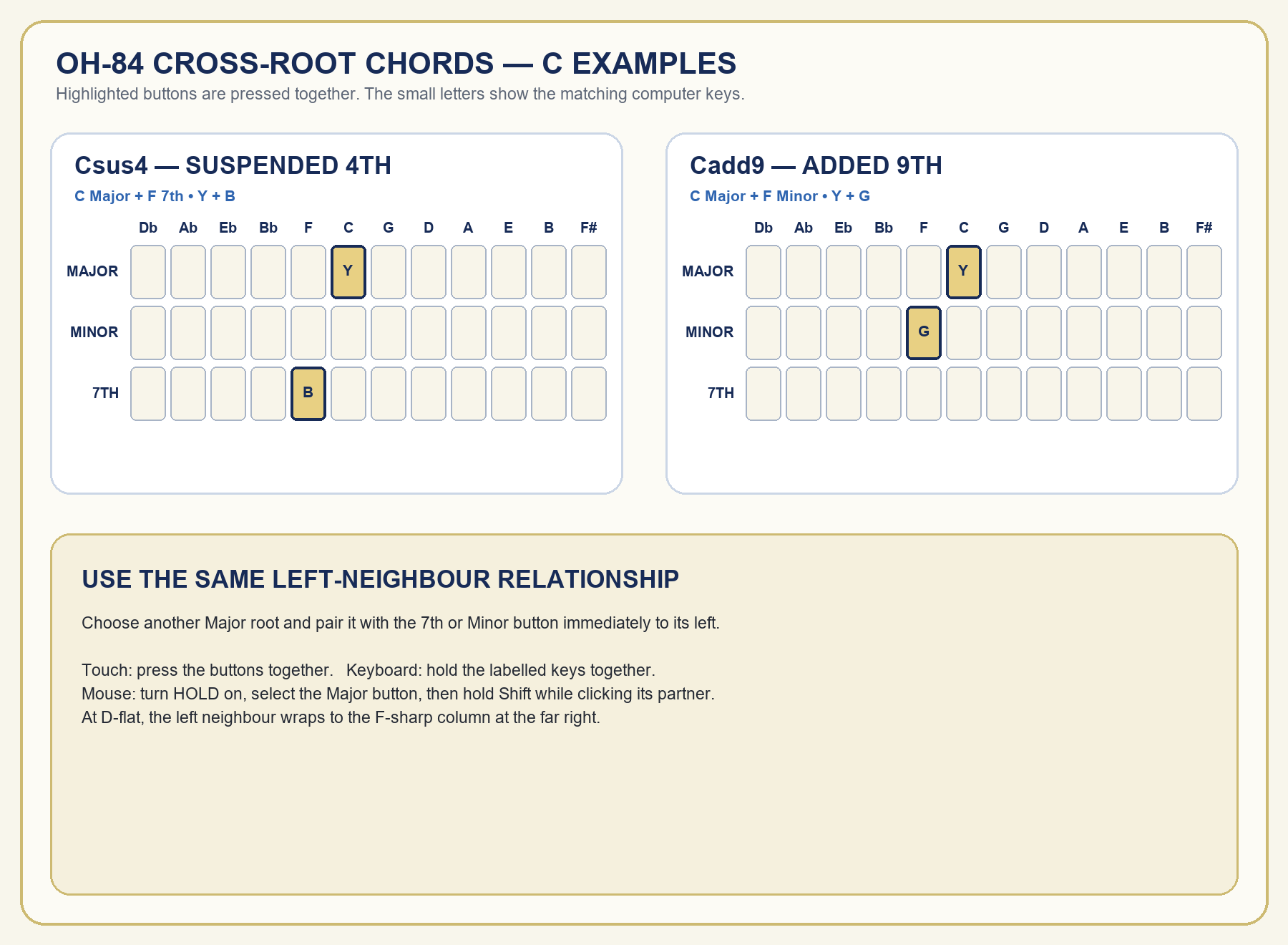
OH-84 provides twelve roots and nine qualities: Major, Minor, 7th, Major 7th, Minor 7th, Diminished, Augmented, Sus4 and Add9. The C diagrams show the normal combinations. Two duplicate F# buttons at the far left keep D-flat Sus4 and Add9 beside the D-flat Major button.
| Buttons | Quality |
|---|---|
| Major | Major |
| Minor | Minor |
| 7th | Dominant seventh |
| Major + 7th | Major seventh |
| Minor + 7th | Minor seventh |
| Major + Minor | Diminished |
| All three rows | Augmented |
| Root Major + 7th immediately left (extra F# 7th for D-flat) | Suspended fourth |
| Root Major + Minor immediately left (extra F# Minor for D-flat) | Added ninth |
How to press combinations
- Computer keyboard: hold the labelled keys together.
- Touchscreen: press the required chord buttons together with two or three fingers.
- Mouse or trackpad: turn HOLD on, select the first button, then hold Shift while clicking the other button or buttons.
5
Strumplate and Instant Off
Move across the thirteen bars with a mouse, pen or touch input. The number row also plays the Strumplate: ` 1 2 3 4 5 6 7 8 9 0 - =.
Instant Off stops held chords, bass, keyboard notes, Strumplate voices and outgoing MIDI notes.
6
Keyboard mode, voices and Voice Editor
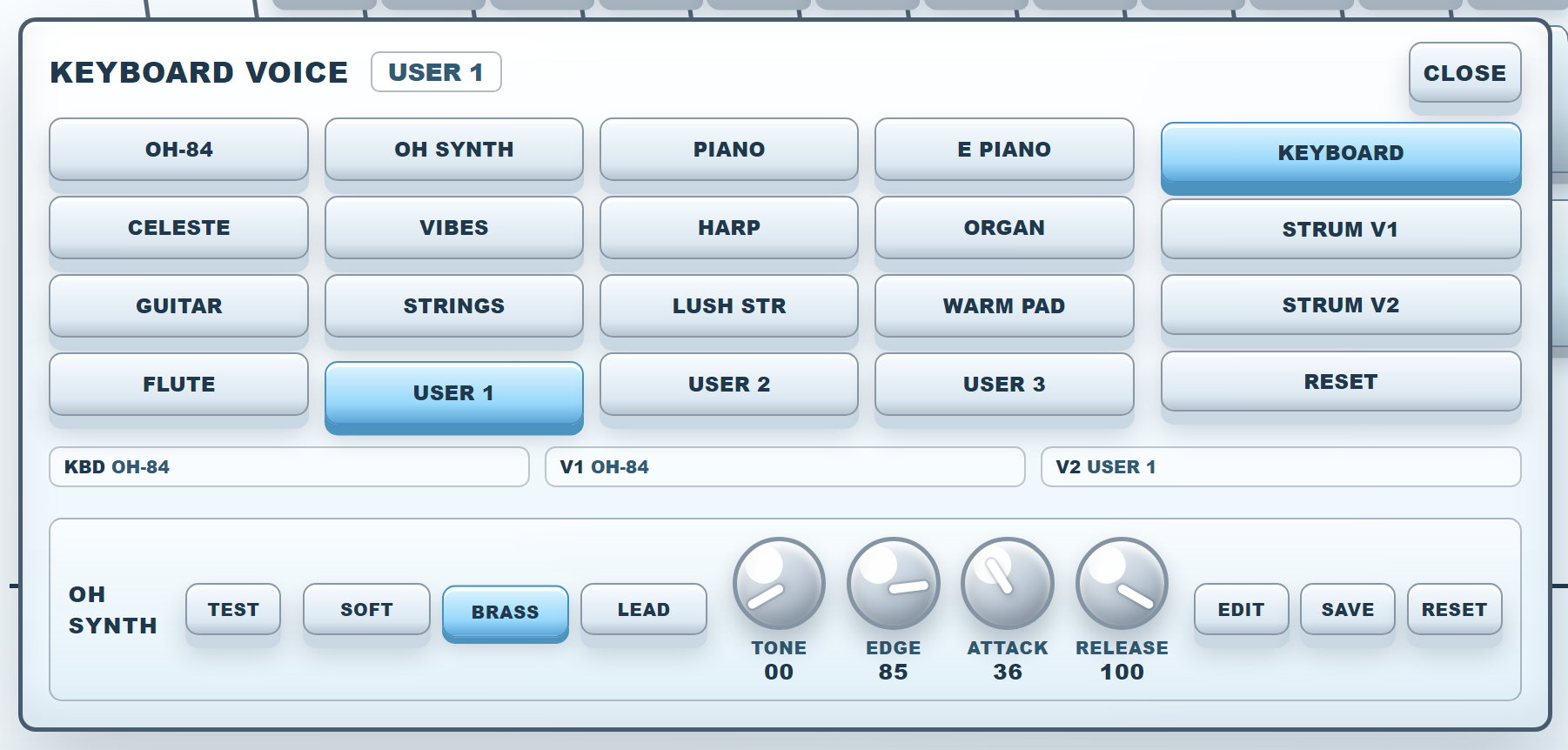
KEYBOARD changes the chord bank into a C4–G5 note keyboard. Choose a voice and assign it to Keyboard, Strum V1 or Strum V2.
Create a User voice
- Choose User 1, User 2 or User 3.
- Choose a factory source voice and press Edit.
- Choose Soft, Brass or Lead and adjust Tone, Edge, Attack and Release.
- Use Test, then press Save.
7
Chord memory and Chord Computer
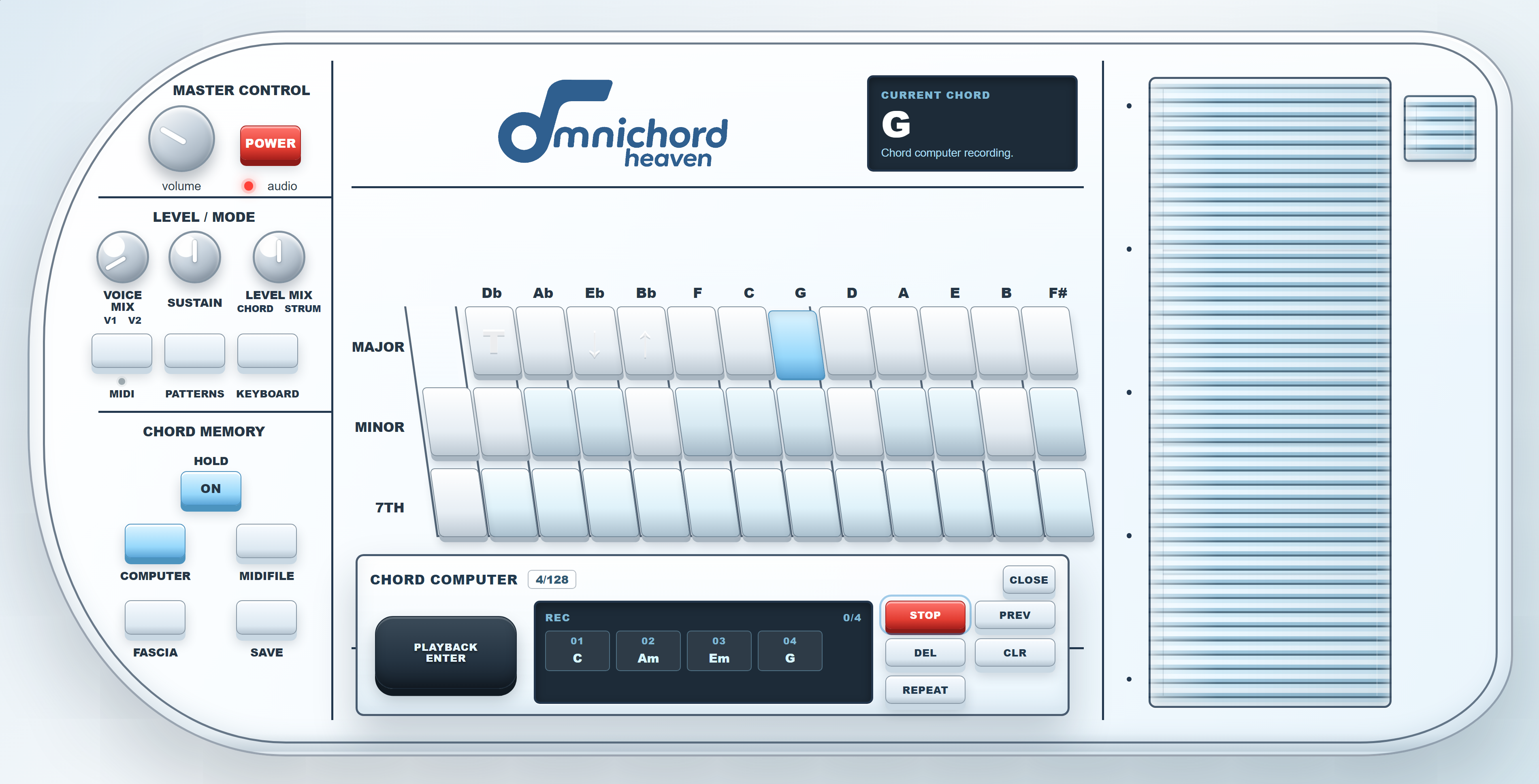
- Press Computer, then Rec.
- Choose a chord and press Playback Enter.
- Repeat, then press Stop.
| Control | Purpose |
|---|---|
| Playback Enter | Next step |
| Prev | Previous step |
| Repeat | Current step |
| Del | Delete final step |
| Clr | Clear memory |
8
AIRSTRUM — experimental member feature
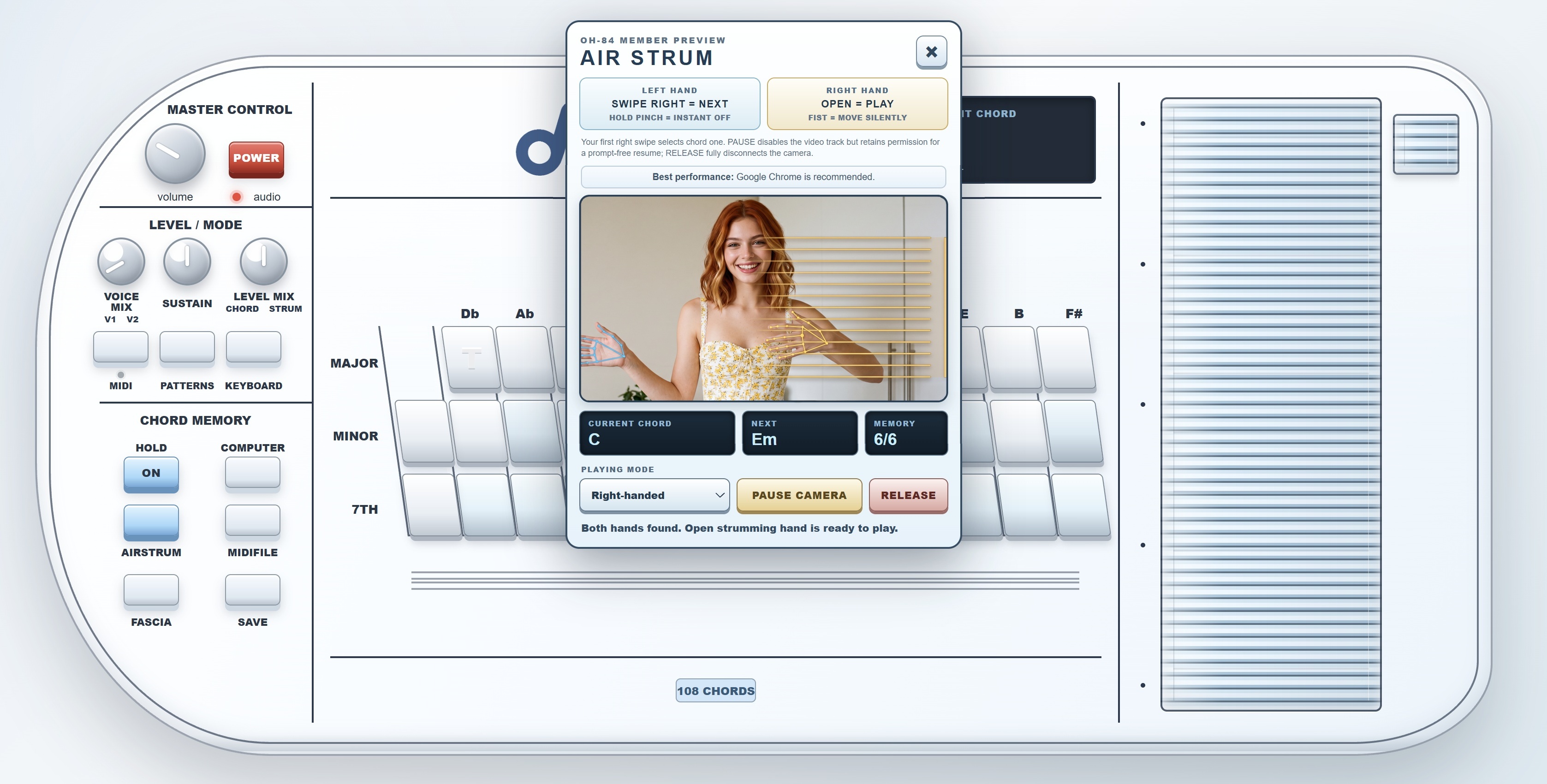
AIRSTRUM uses the camera to recognise two hands. Right-handed mode assigns chord changes to the left hand and playing to the right; Left-handed mode reverses them.
- Create or load a Chord Memory sequence and press Power.
- Press AIRSTRUM and allow camera access.
- Choose Right-handed or Left-handed and keep both hands visible.
- Swipe the chord hand right once to select chord one.
| Gesture or control | Result |
|---|---|
| Chord hand: swipe right | Next stored chord |
| Chord hand: hold pinch | Instant Off |
| Strumming hand: open | Play |
| Strumming hand: fist | Move silently |
| Pause Camera | Disable video while retaining permission |
| Release | Fully disconnect the camera |
9
Rhythm patterns
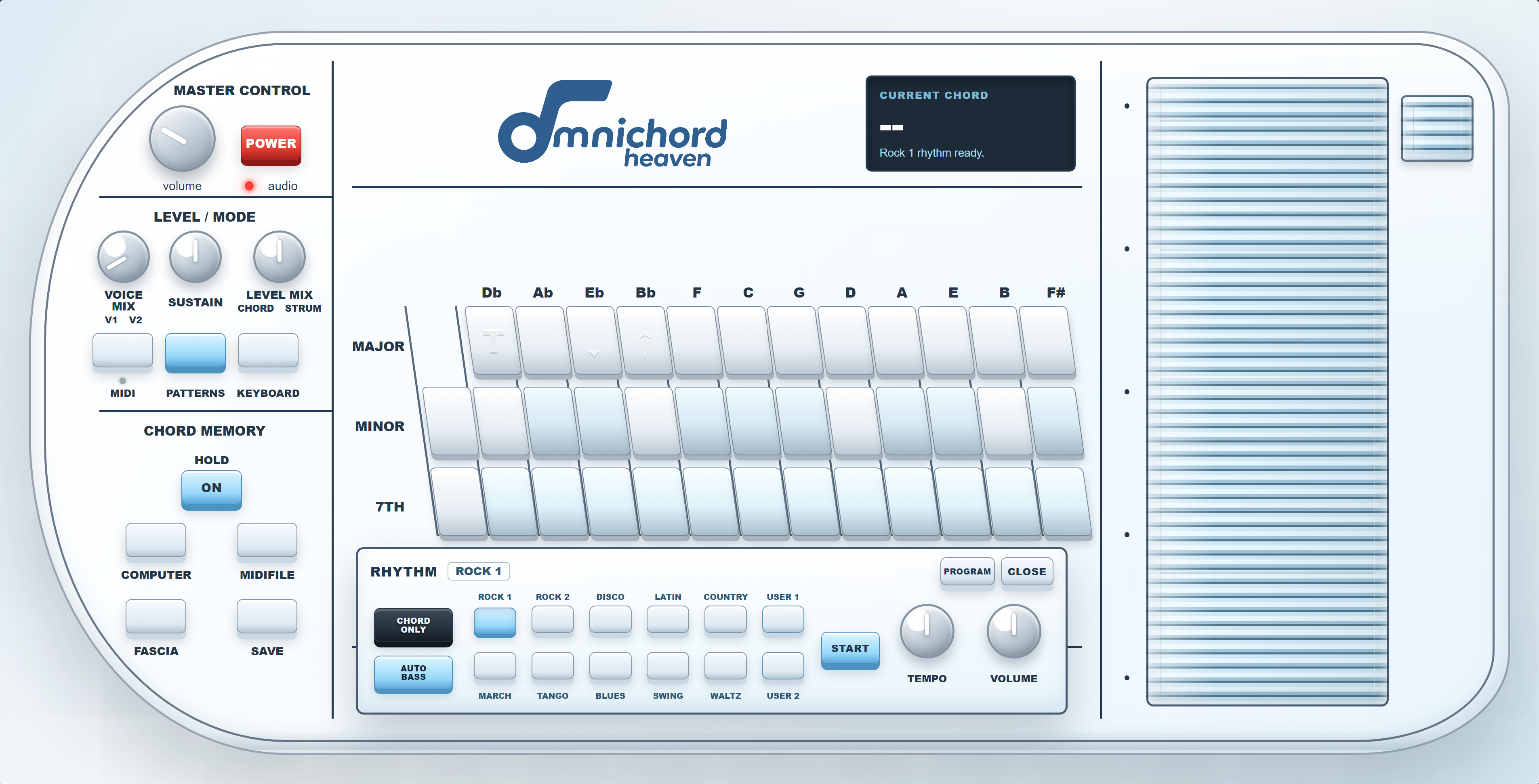
Choose Rock 1, Rock 2, Disco, Latin, Country, March, Tango, Blues, Swing, Waltz, User 1 or User 2. Set tempo, volume, chord accompaniment and automatic bass, then press Start.
10
Rhythm Programmer
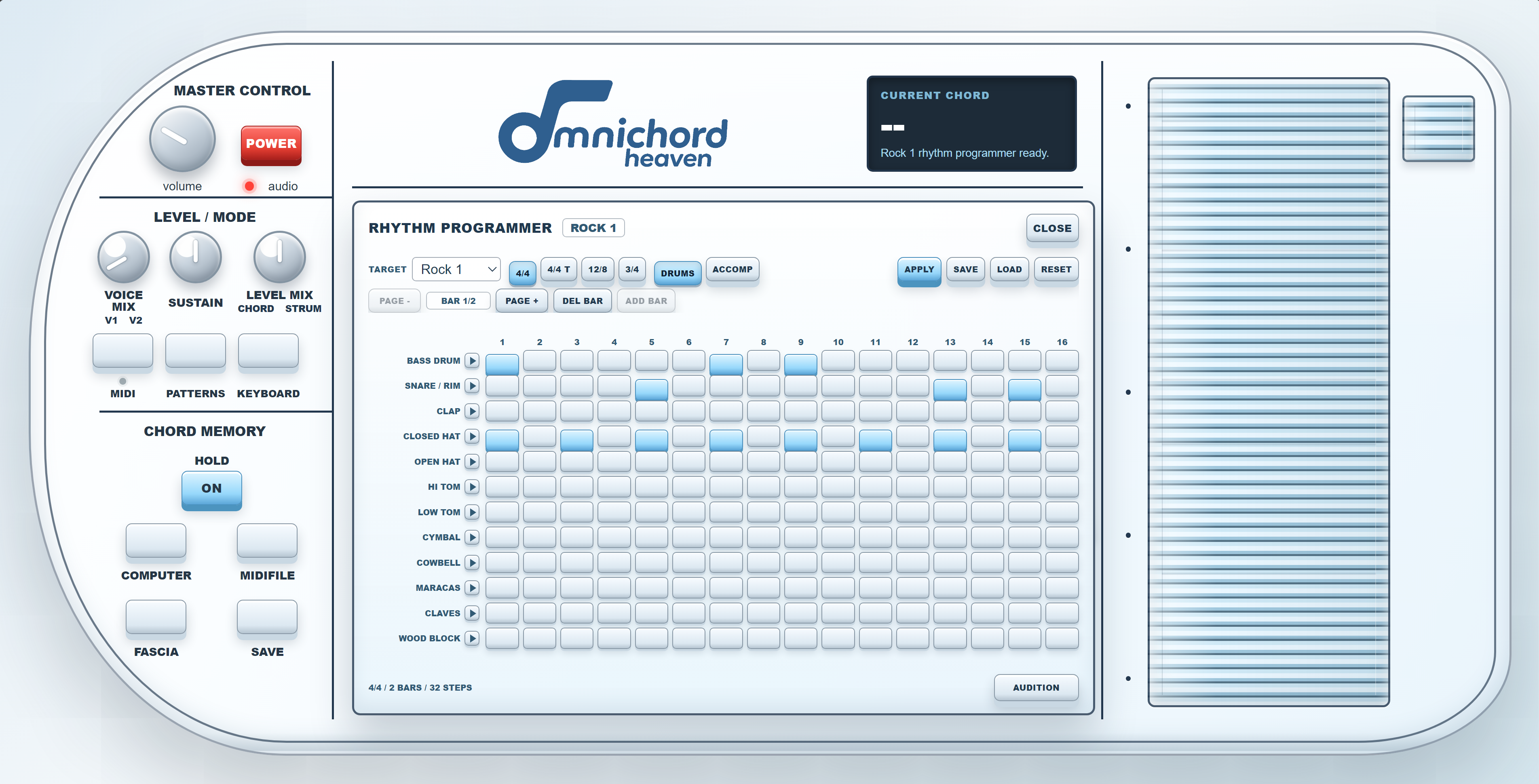
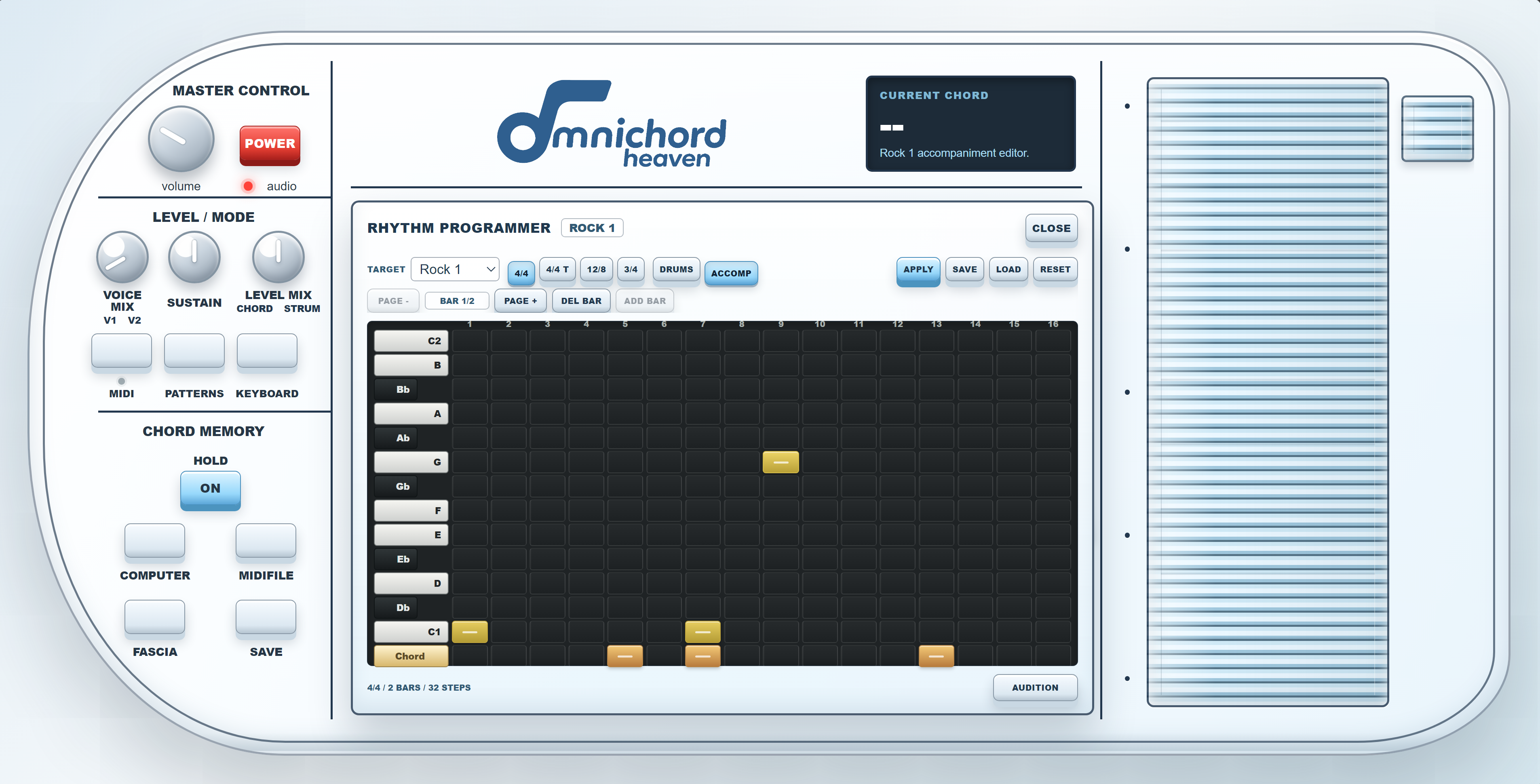
| Control | Purpose |
|---|---|
| Target | Pattern slot being edited |
| Meter | 4/4, 4/4 triplet, 12/8 or 3/4 |
| Add/Delete Bar | One- or two-bar length |
| Audition | Loop in C major |
| Apply | Store the edit in the target |
| Save/Load | Export or import rhythm JSON |
11
MIDI output
Connect and power the destination, press MIDI and approve Chrome's prompt.
| Channel | Data |
|---|---|
| 1 | Strumplate and Keyboard melody |
| 2 | Chords |
| 3 | Bass |
12
GM MIDI-file and lyric player
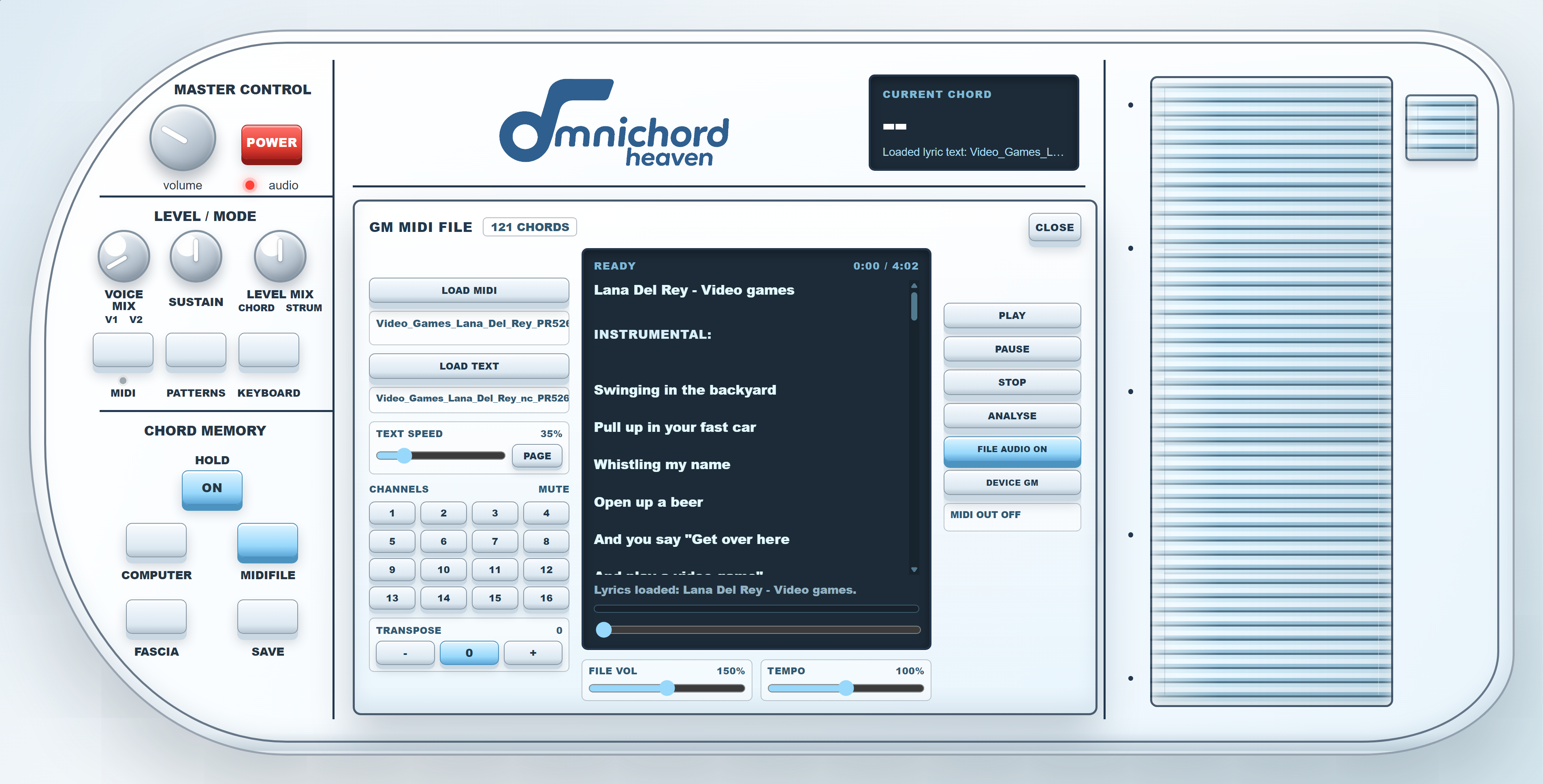
| Control | Purpose |
|---|---|
| Load MIDI | .mid, .midi and .kar files |
| Load Text | .txt and .lrc files |
| Play/Pause/Stop | Transport |
| Analyse | Rebuild chord timeline |
| Channels | Mute channels 1–16 |
| File Audio On | Internal GM-style audio |
| Device GM | External MIDI playback |
| File Vol/Tempo | 0–300% volume and 50–150% speed |
13
Fascia, Key Map and animation
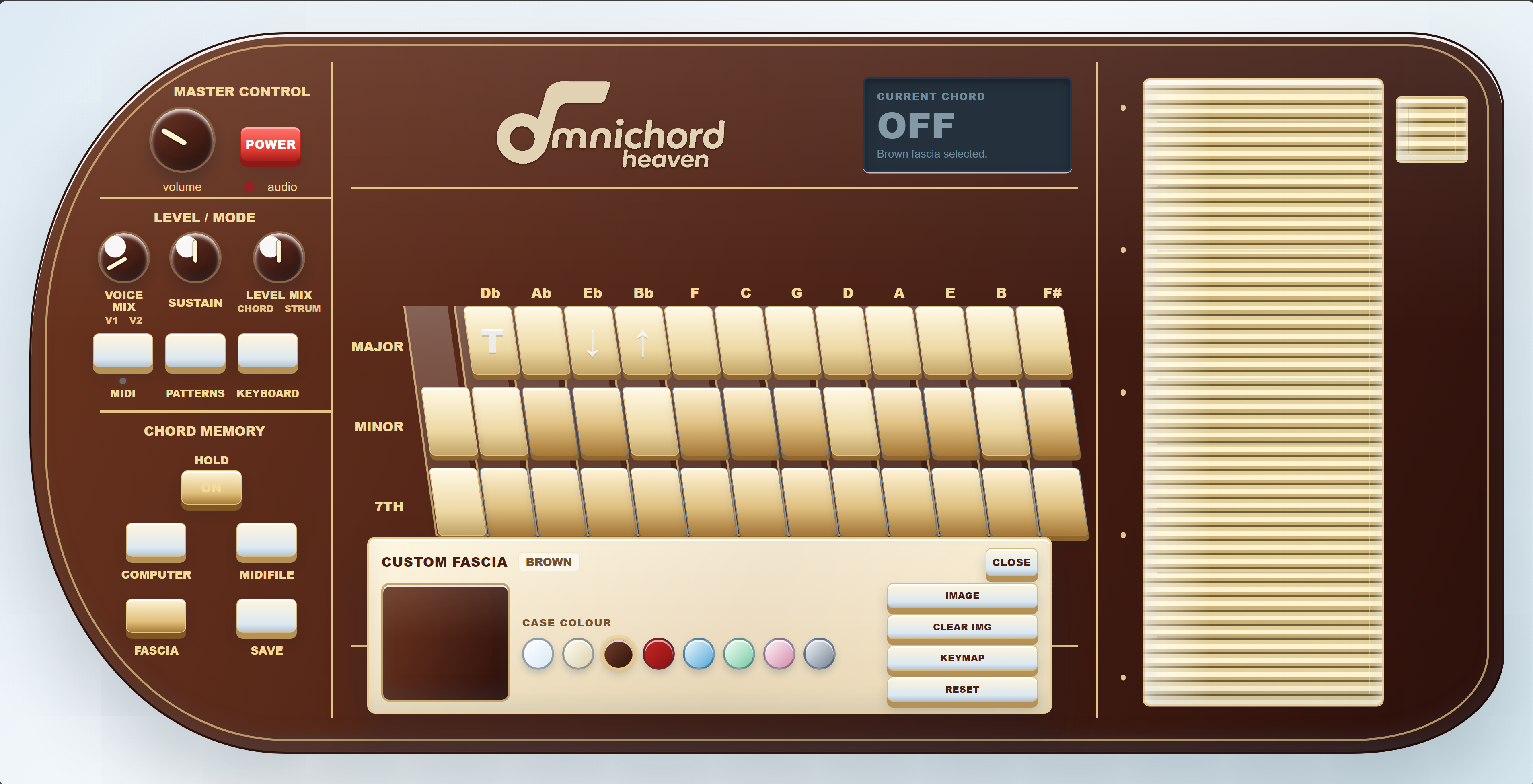
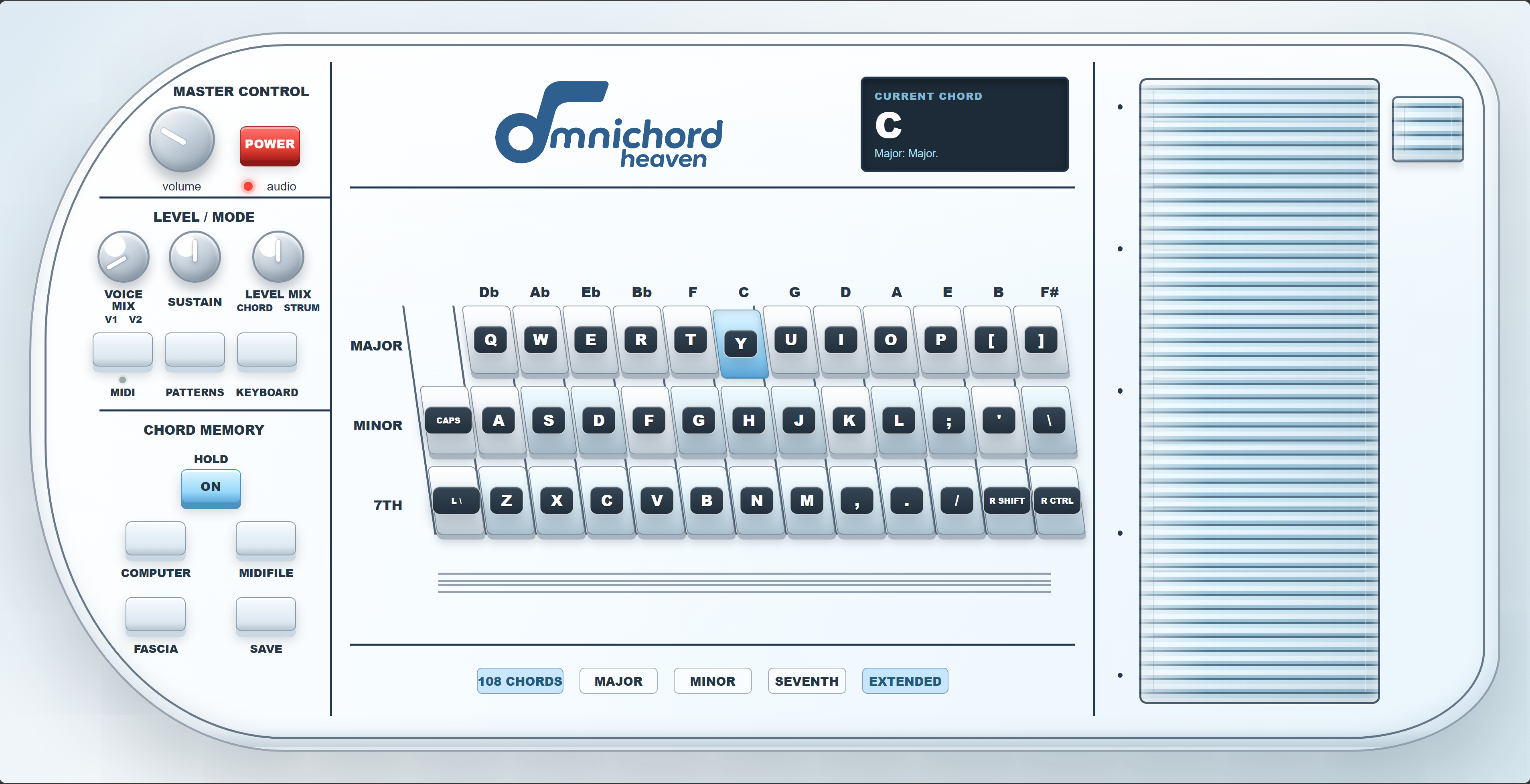
Choose Classic, Ivory, Brown, Red, Blue, Mint, Rose or Graphite. Image adds a personal image layer; Clear Img removes it. Anim controls the Strumplate glow.
- The Key Map is a visual guide only; it does not change the selected sound or playing mode.
- Use the labelled chord rows and edge buttons with the physical-keyboard reference in Chapter 16.
- The preference is retained in the browser and included in a full settings snapshot.
14
Save, load and reset
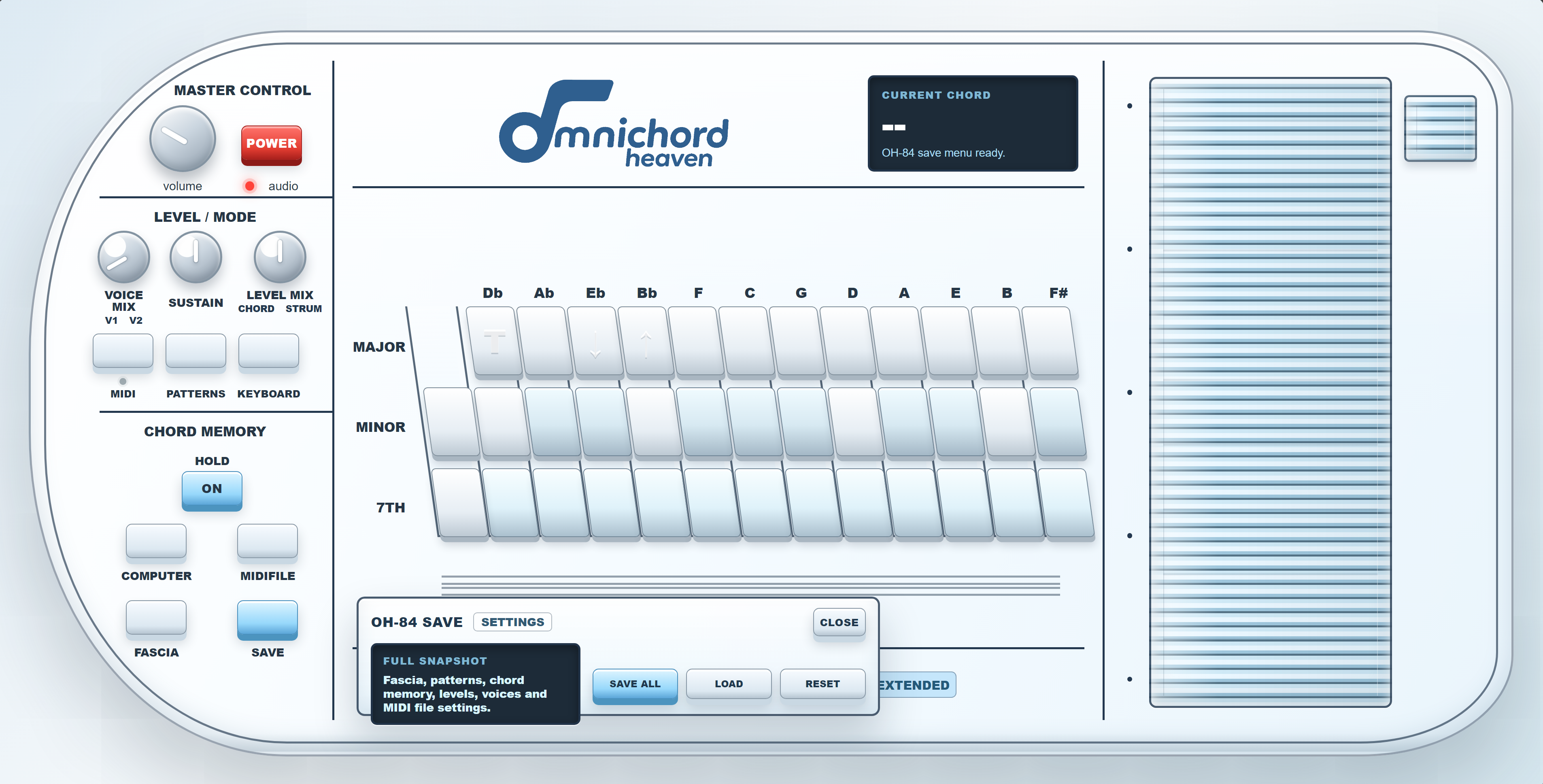
Save All includes fascia, custom image data, rhythm edits, Chord Memory, levels, voices, file-player settings, Key Map and current modes. Imported MIDI and text files are not embedded.
15
Troubleshooting
| Problem | Check |
|---|---|
| No sound | Power, Volume, tab mute, Windows output and Level Mix |
| Pattern edit absent | Press Apply |
| MIDI silent | Permission, destination and channels |
| AIRSTRUM camera absent | Secure member page, Chrome permission and other camera apps |
| AIRSTRUM loses a hand | Lighting, distance, separation and framing |
| MIDI-file audio absent | File Vol, File Audio On, mute grid and master Volume |
16
Computer-keyboard reference
| Function | Keys |
|---|---|
| Major | Q W E R T Y U I O P [ ] |
| Minor | A S D F G H J K L ; ' backslash |
| 7th | Z X C V B N M , . / Right Shift Right Ctrl |
| Extra F# Minor button | Caps Lock |
| Extra F# 7th button | Left backslash / IntlBackslash |
| Strumplate | ` 1 2 3 4 5 6 7 8 9 0 - = |
17
Specifications
| Item | Specification |
|---|---|
| Instrument | OH-84 complete virtual Omnichord workstation |
| Chord system | 108 choices: 12 roots × 9 qualities |
| Keyboard mode | C4–G5 |
| Voices | 13 factory choices, OH Synth and three User memories |
| Chord Memory | 128 steps |
| AIRSTRUM | Experimental two-hand camera control |
| Rhythms | 10 factory + 2 User; 1–2 bars; four meters |
| MIDI | Live Web MIDI plus GM-style file playback |
| Fascia | Eight colours, custom image, Key Map and animation |
| Settings | Browser storage and portable JSON |